-
Introduction
Quick Start -
Guides
Postman Collection -
Reference
Postman Collection
Download our postman collection
Postman allows you to explore JSON REST APIs. You can configure and send requests and receive responses for any of our core APIs.
-
AstroBeans B2B Api Services Postman Collection
Download
-
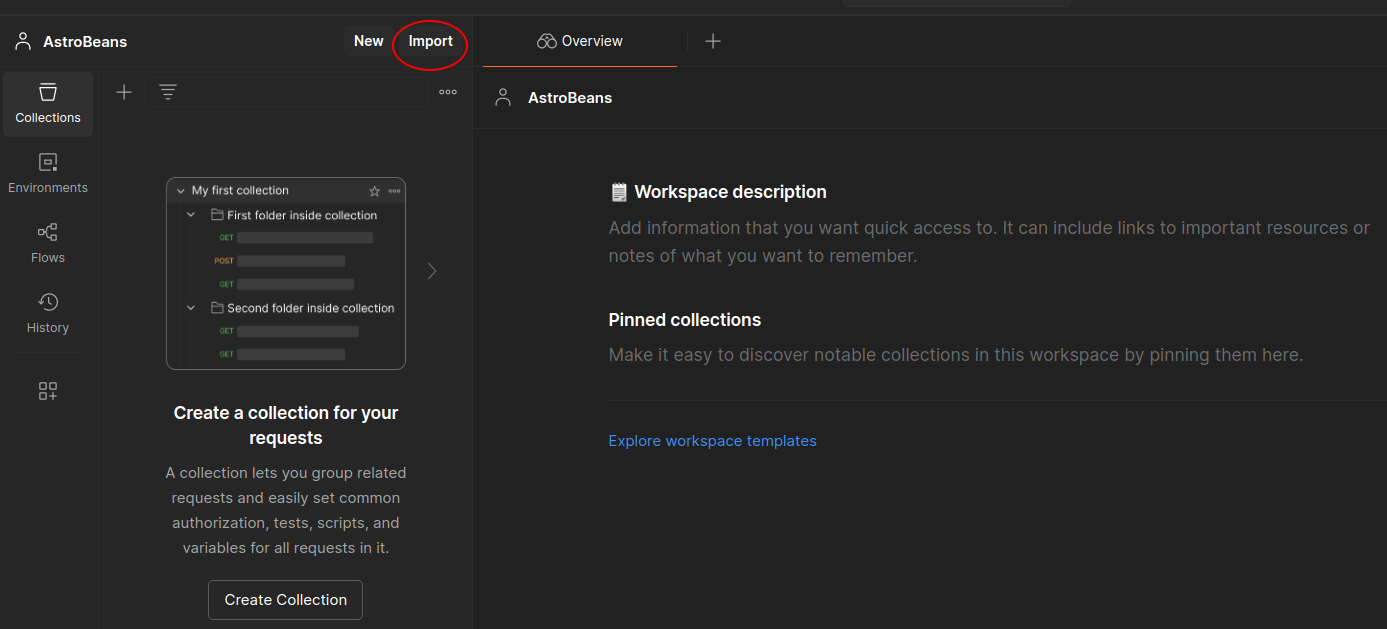
STEP 1
Click here to import json collection.
-
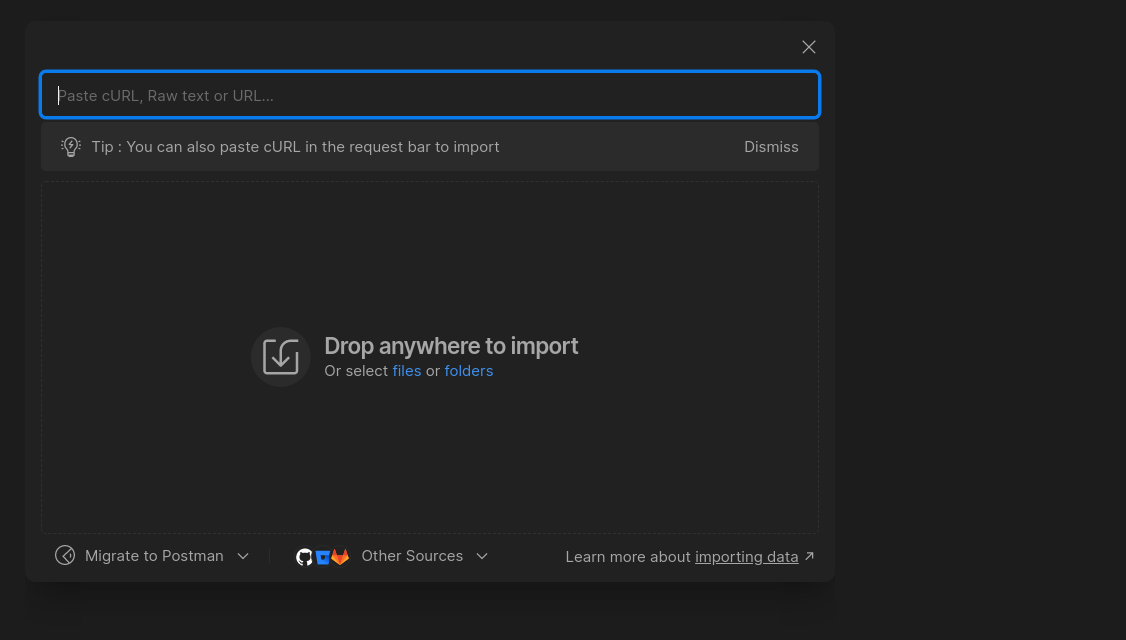
STEP 2
Click Choose Files - select the json file. Select postman collection json file downloaded from above download button.
-
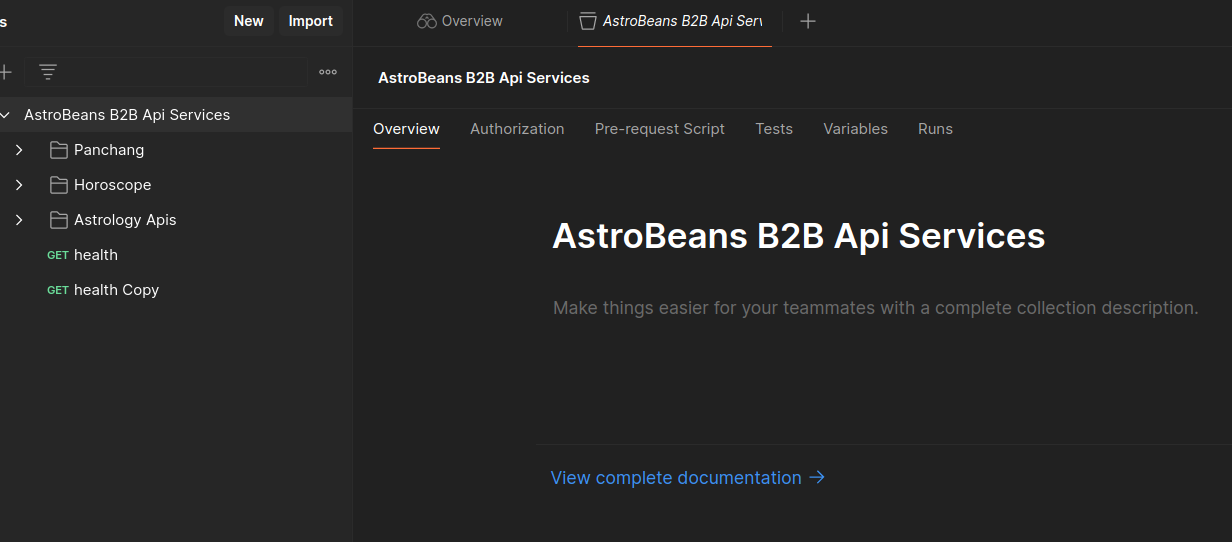
STEP 3
After import success you will see screen like this. You can proceed with testing the APIs after mentioning your credentials in headers tab
Postman Workflow
Navigate to www.postman.com and login to your account.
-
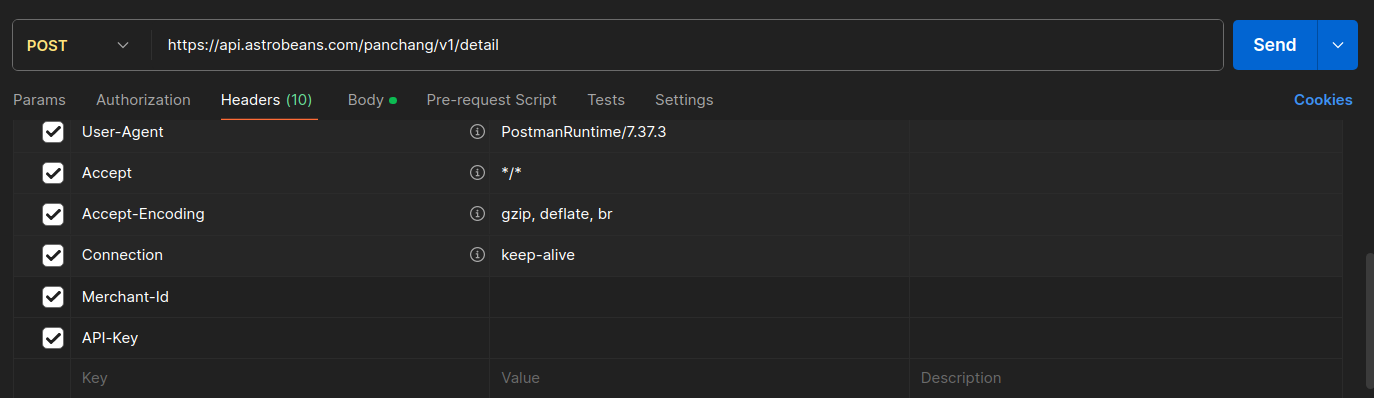
STEP 1
Under headers tab select for input details.
-
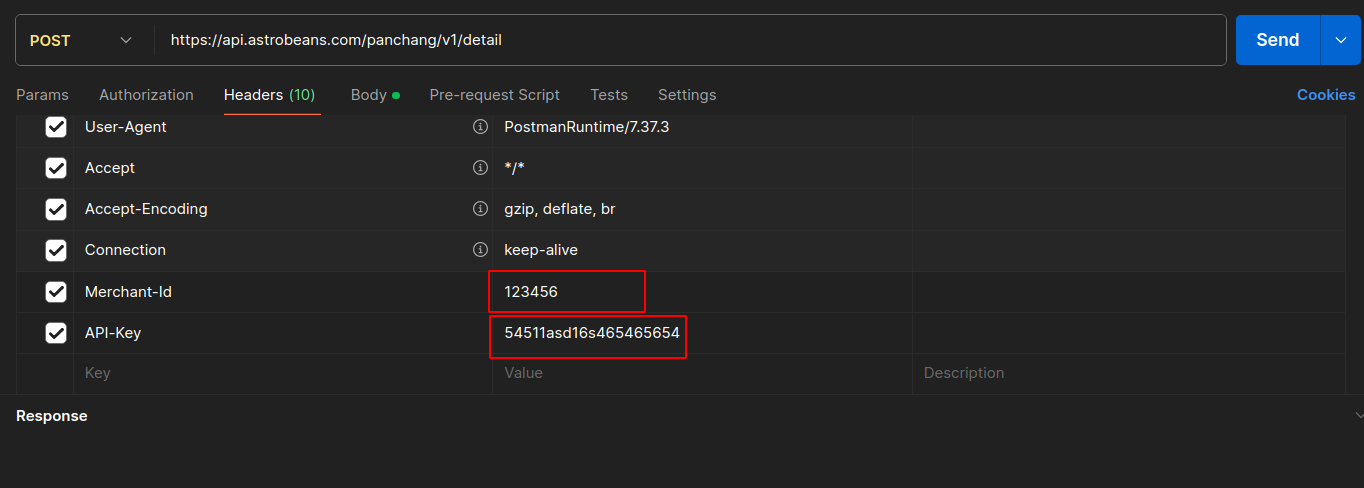
STEP 2
Enter your Merchant-Id as the username and API-Key as the password. The API key and Merchant-Id you will find in account section API Keys Management.
-
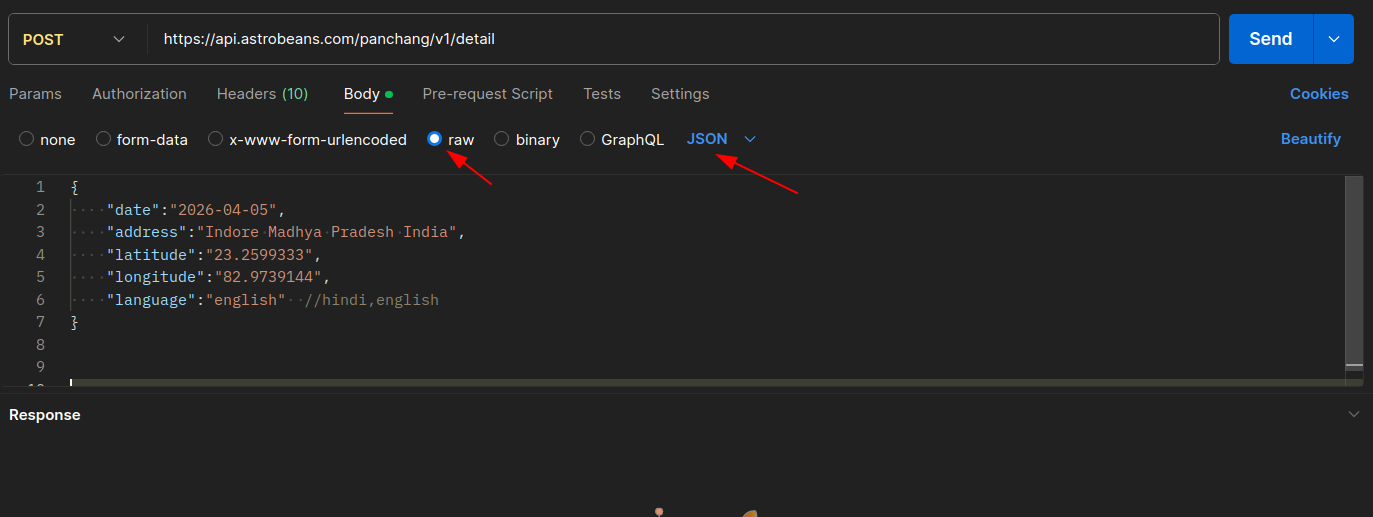
STEP 3
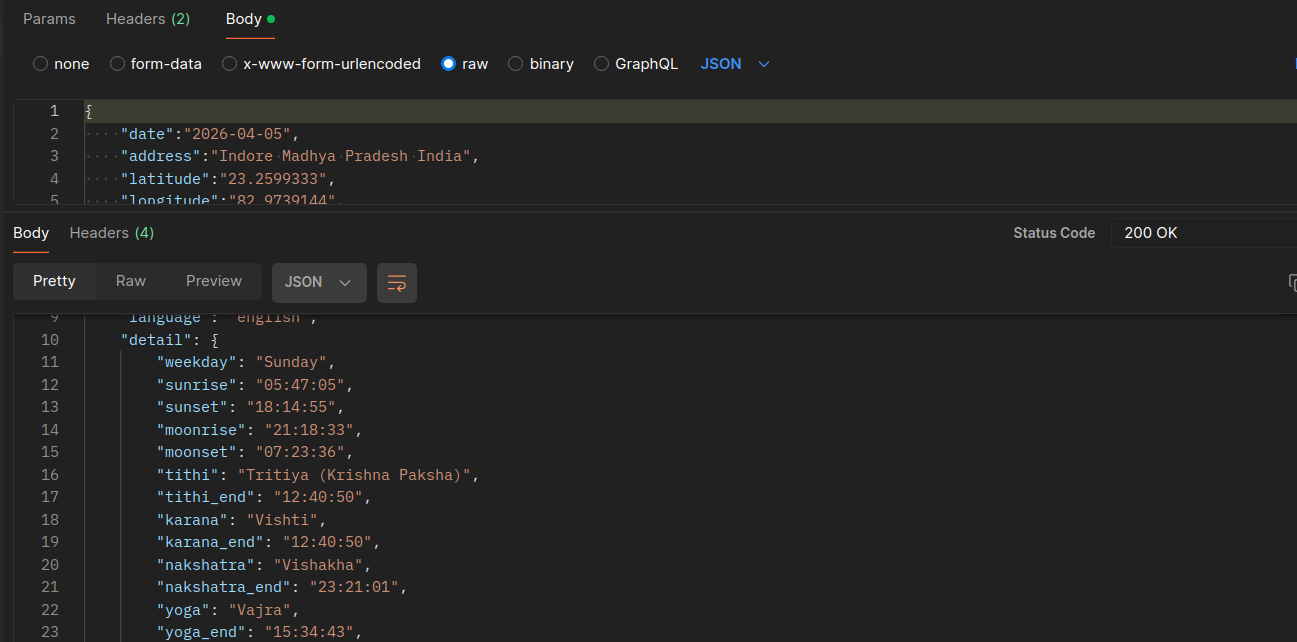
Select the POST method. Click on Body tab, select raw with json content type and under that mention the parameters under Key and their corresponding values
-
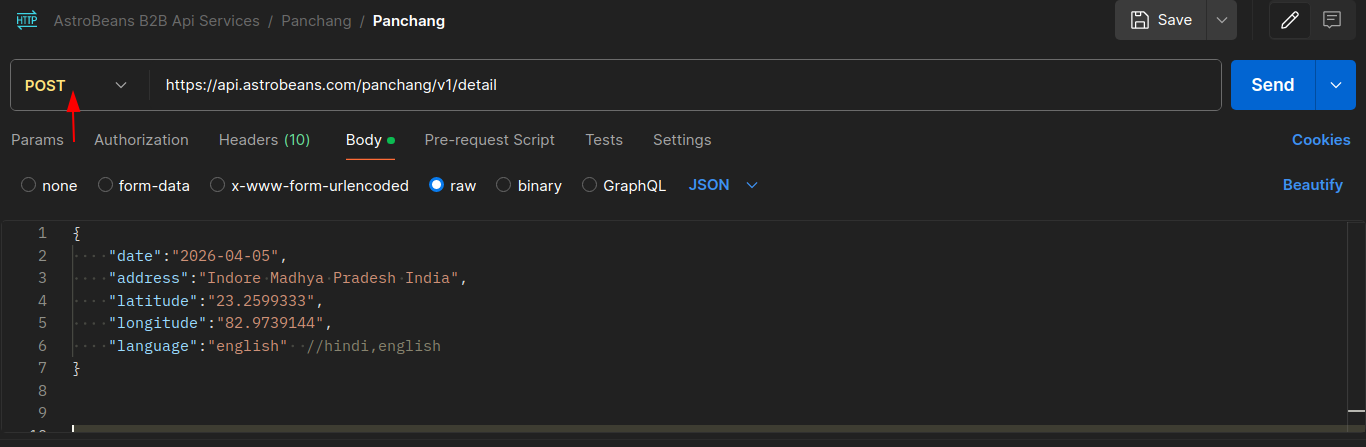
STEP 4
Select the POST method
-
STEP 5
Mention the API url
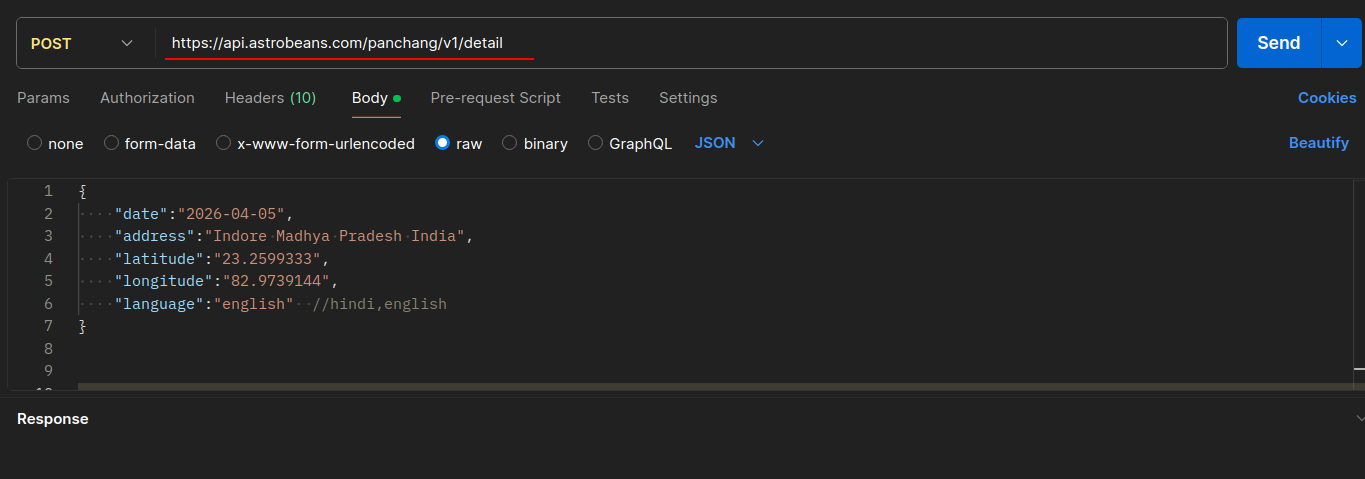
-
STEP 6
Click Send
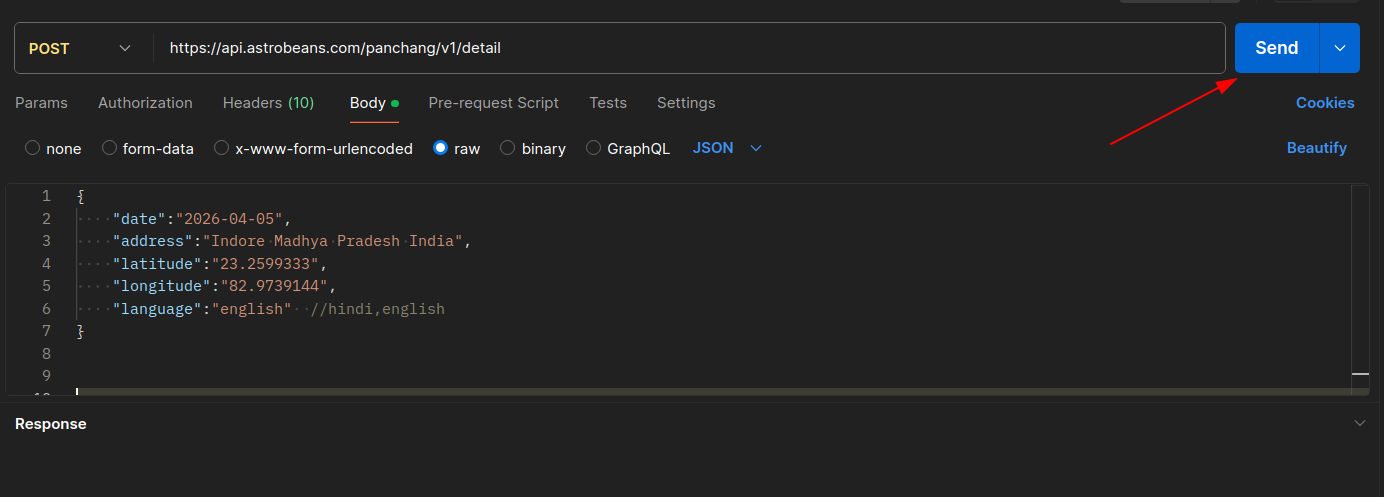
-
STEP 7
Scroll below to view the response. Ensure that JSON is selected
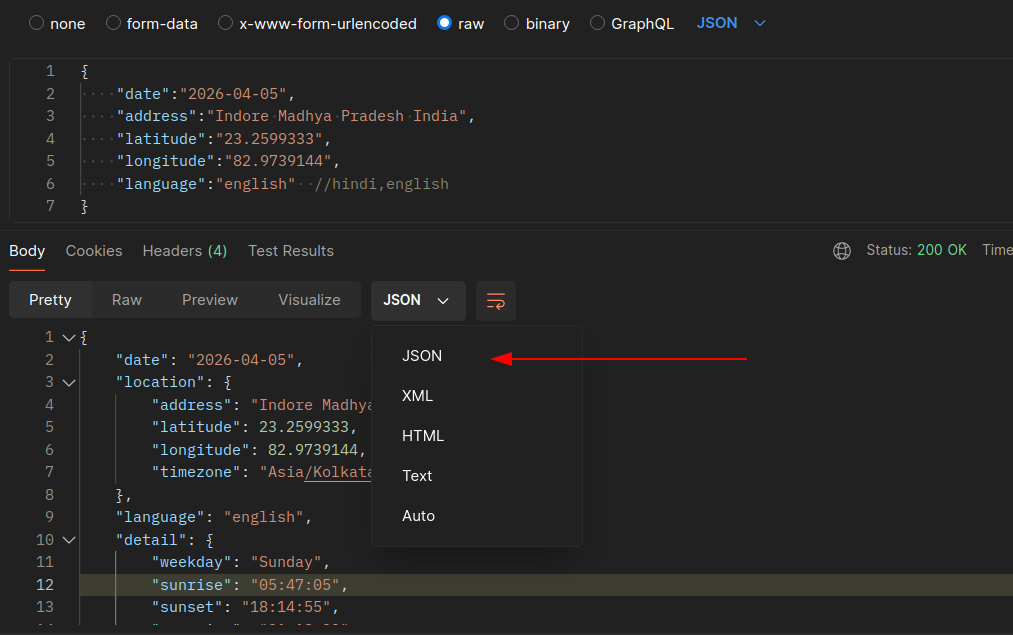
-
STEP 8
You can scroll to check the response